Secure Account Backup
Interstellar's underlying technology unlocks advanced account abstraction and recovery logic for instantly generated accounts.
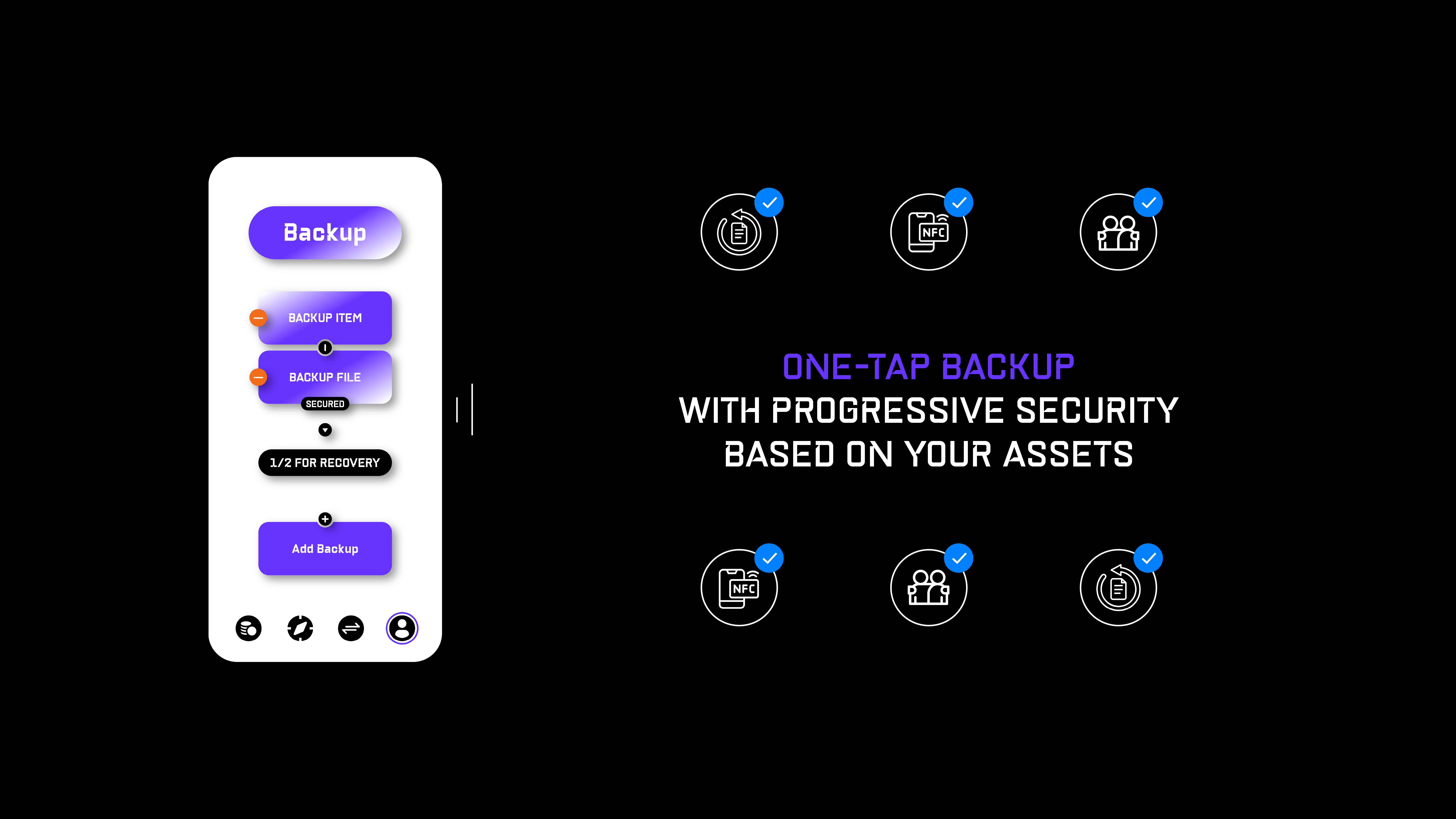
Next-Gen Backups
1. Backup File
Backup a freshly generated garbled circuit to your cloud provider of choice, back it up locally, or send it to a trusted contact person.
2. Backup Item
Tap a day-to-day NFC item to your mobile device to register it as your backup.
Backup Logic

Secure your account differently based on your assets under management:
- A — Basic Recovery — one backup file/item
- B — Multisig Recovery — a combination of backup files/items
- e.g. 1/2, 2/3, 3/5, or any other combination
Recovery Logic
Interstellar's backup logic is fundamentally different from passwords, private keys, or seed phrases.
- If you cannot access your backup file/item — simply replace it on your registered mobile device.
- If you cannot access your mobile device — simply initiate a recovery with your registered backup on a new mobile device.
Why Multiple Recovery Options
Some users may require only one recovery method; others might need several. That’s why Interstellar enables users to securely add, remove, and combine recovery options at any time, creating a custom multisignature recovery setup. This flexibility is crucial for achieving a healthy balance between user experience and security, which should remain customizable to meet individual needs.